












































































Why a Good WiFi Router Matters for Your Home and Office
In today's hyper-connected world, a reliable WiFi router is no longer a luxury — it is an absolute necessity. Whether you are streaming HD videos, attending video conferences, playing online games, or simply browsing the web, the quality of your router determines the quality of your internet experience. A weak or outdated router can cause buffering, dropped connections, slow speeds, and endless frustration. Investing in a good router from a trusted retailer like RuSu ensures you get smooth, fast, and stable internet connectivity every single day.
Types of Routers Available in Bangladesh
The router market in Bangladesh has grown significantly over the past few years. Today, consumers and businesses can choose from a wide variety of router types, each suited to different needs and environments. Understanding the differences between these types is the first step to making the right purchase decision. Trending now: Mascara.
Single-Band Routers
Single-band routers operate exclusively on the 2.4 GHz frequency band. These are the most affordable options and are suitable for basic internet usage like web browsing, emailing, and light streaming. They typically support speeds of up to 150 Mbps or 300 Mbps, which is adequate for small households with a limited number of connected devices. However, the 2.4 GHz band tends to be congested in densely populated areas, which can lead to slower speeds and interference from neighboring networks. Browse Makeup for more options.
Dual-Band Routers
Dual-band routers operate on both the 2.4 GHz and 5 GHz frequency bands simultaneously. The 5 GHz band offers significantly faster speeds and less interference compared to 2.4 GHz, making it ideal for HD video streaming, online gaming, and high-bandwidth tasks. Dual-band routers are the most popular choice for modern households and small offices in Bangladesh. They allow you to connect older devices to the 2.4 GHz band while using the 5 GHz band for devices that require high-speed connectivity. Explore Teeth Care on our store.
Tri-Band Routers
Tri-band routers add an additional 5 GHz band to the dual-band setup, providing even more bandwidth for heavily connected environments. These routers are ideal for large families, home offices, or small businesses where many devices are connected simultaneously. While they are more expensive than single or dual-band options, the performance improvement in busy networks is well worth the investment. Discover Hair Mask for quality choices.
Mesh WiFi Systems
Mesh WiFi systems use multiple router nodes placed throughout your home or office to create a seamless, single wireless network. Unlike traditional routers that create a single hotspot, mesh systems eliminate dead zones and ensure consistent WiFi coverage across large areas. They are particularly popular in large homes with multiple floors or offices with complex layouts. Brands like TP-Link Deco and ASUS ZenWiFi offer excellent mesh systems available at RuSu. Shoppers also recommend BB Cream.
Gaming Routers
Gaming routers are designed specifically to deliver the lowest possible latency and the fastest speeds for online gaming. They typically feature Quality of Service (QoS) settings that prioritize gaming traffic, MU-MIMO technology, beamforming, and advanced security features. If you are a serious gamer or have gamers in your household, a dedicated gaming router from brands like ASUS ROG or TP-Link Archer can make a significant difference in your gaming experience. Check out Online Grocery Shop for great picks.
4G/LTE Routers
For areas where broadband internet infrastructure is limited, 4G/LTE routers provide a reliable alternative by using mobile data networks to provide WiFi connectivity. Simply insert a SIM card and you have instant WiFi anywhere in Bangladesh. These routers are popular in rural areas, for travel use, and as backup internet solutions for businesses. Popular models from Huawei and ZTE are available at RuSu at competitive prices. See our Cleanser collection.
Top Router Brands Available at RuSu
RuSu stocks an extensive range of router brands to suit every need and budget. Here are some of the top brands you will find in our collection:
TP-Link
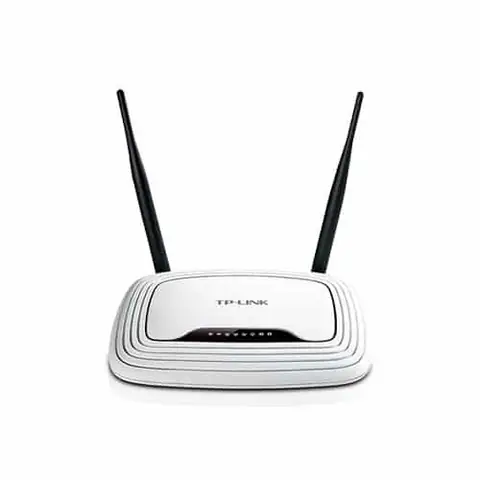
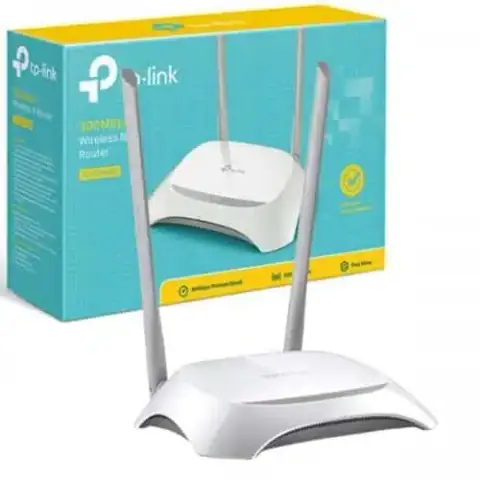
TP-Link is one of the most popular and trusted networking brands in Bangladesh. Known for their reliable performance, easy setup, and affordable pricing, TP-Link routers are a top choice for both home users and businesses. From the budget-friendly TL-WR840N to the powerful Archer AX series with WiFi 6 support, TP-Link offers something for everyone. Popular with buyers: Hair Oil.
Tenda
Tenda is another excellent brand that offers great value for money. Their routers are known for their simple setup process, decent performance, and competitive pricing. The Tenda F3, F9, and AC10 series are particularly popular in Bangladesh for home use. Find more at BB Powder.
Mikrotik
Mikrotik routers and switches are the preferred choice for ISPs, network administrators, and tech-savvy users who need advanced routing capabilities and full control over their network configuration. While Mikrotik devices require more technical knowledge to set up, they offer unparalleled flexibility and performance for enterprise and ISP applications. Worth exploring: Pain Relief.
Huawei
Huawei offers a range of high-quality routers for both home and enterprise use. Their 4G/LTE routers are particularly popular for providing mobile broadband connectivity in areas with limited fixed-line infrastructure. Customers love Gel in Bangladesh.
Key Features to Consider When Buying a Router
- WiFi Standard: Look for routers supporting the latest WiFi standards. WiFi 6 (802.11ax) offers the best speeds and efficiency, while WiFi 5 (802.11ac) is still an excellent choice for most users.
- Speed Rating: Router speeds are expressed in Mbps. Match the router's speed capability to your internet plan for optimal performance.
- Number of Antennas: More antennas generally mean better range and signal strength. External antennas typically provide better coverage than internal ones.
- MU-MIMO Technology: Multi-User, Multiple Input, Multiple Output (MU-MIMO) technology allows the router to communicate with multiple devices simultaneously, improving performance in homes with many connected devices.
- Beamforming: Beamforming technology focuses the WiFi signal directly toward connected devices rather than broadcasting in all directions, improving signal strength and range.
- Number of LAN Ports: If you have devices that benefit from wired connections (such as gaming consoles, smart TVs, or desktop computers), ensure the router has enough Gigabit LAN ports.
- USB Ports: Some routers include USB ports for connecting external hard drives or printers, turning the router into a basic NAS or print server.
- Security Features: Look for routers with WPA3 encryption, built-in firewalls, and regular firmware updates to keep your network secure.
- App Control: Many modern routers come with companion smartphone apps that make it easy to manage your network, set parental controls, and monitor connected devices.
Setting Up Your Router: Tips for Best Performance
Once you purchase a router from RuSu, proper placement and setup are crucial for getting the best performance. Here are some expert tips: A top choice: Hair Removal.
- Central Placement: Place your router in a central location in your home or office to ensure even WiFi coverage in all directions.
- Elevated Position: Routers broadcast signals in all directions, including downward. Placing your router on a shelf or elevated surface helps improve coverage.
- Away from Interference: Keep your router away from other electronic devices that can cause interference, such as microwave ovens, cordless phones, and baby monitors.
- Update Firmware Regularly: Keep your router's firmware updated to ensure you have the latest security patches and performance improvements.
- Use a Strong Password: Always set a strong, unique password for your WiFi network to prevent unauthorized access.
- Change Default Admin Credentials: Change the default admin username and password for your router's management interface to prevent unauthorized configuration changes.
Why Buy Your Router from RuSu?
RuSu is Bangladesh's trusted online destination for networking equipment and electronics. We offer genuine products from authorized distributors, ensuring you get authentic devices with full manufacturer warranty. Our competitive pricing means you always get the best value for your money, and our fast delivery service ensures your new router arrives at your doorstep quickly. Our customer support team is always available to help you choose the right router for your needs and assist with any post-purchase queries. Don't miss Blush while shopping.
Frequently Asked Questions About Routers in Bangladesh
When shopping for a router in Bangladesh, customers often have questions about compatibility, setup, and performance. Our experienced team at RuSu is always ready to help you find the perfect networking solution for your home or business. Visit our website today to browse our full range of routers and take advantage of our best prices and exclusive deals. Highly rated: Perfume.
Choosing the Right Router for Bangladesh's Internet
Bangladesh's internet infrastructure has improved dramatically with the expansion of fiber broadband in major cities and the growth of ISPs serving a wide geographic area. However, the translation of internet service quality into good WiFi coverage at home or office requires selecting the right router for the specific environment. Key router specifications for Bangladesh's context: WiFi standard — WiFi 6 (802.11ax) provides the fastest throughput and best performance in congested WiFi environments (dense apartment buildings in Dhaka where dozens of networks compete in the same spectrum); WiFi 5 (802.11ac) is still very capable and more affordable. Frequency bands: dual-band routers (2.4GHz and 5GHz) are the minimum adequate specification; the 2.4GHz band provides wider coverage and better wall penetration while 5GHz provides faster speeds at closer range. For Bangladesh's apartment environments where walls reduce signal: mesh WiFi systems (multiple router nodes placed throughout the home) provide consistent coverage that single routers often can't achieve through thick concrete construction. Security: WPA3 security protocol on newer routers provides better protection against password attacks and eavesdropping — important given the density of networks in urban Bangladesh. Local considerations: routers should support the DHCP settings provided by Bangladeshi ISPs (most standard routers do); power protection (surge protection, UPS backup for the router) is advisable given Bangladesh's variable power supply that can damage electronics during voltage fluctuations.